YouTube Music on Windows as one native program. It plays your library, playlists and radio with no browser behind the window and no video, and it’s free and open source.
- Status
- Live, version 0.8.0
- Built with
- Rust, Slint, Astro, Cloudflare Workers
- Runs on
- Windows 10 and 11 (64-bit)
- License
- MIT
Why
I listen to YouTube Music every day, and until featherplay that meant Pear Desktop. Pear has a plugin for everything, but underneath it’s the YouTube Music website running in Electron, and it can get heavy and glitchy. I wanted the handful of things I used every day in one program that opens at once and stays quiet while it plays. On my PC, playing the same song with the window minimised, featherplay used 81 MB of memory in one process, and Pear 798 MB.
What was hard
Playing YouTube Music without a browser, and keeping it light. featherplay talks to YouTube Music’s private web interface, which can change without notice, and finds each song’s audio with yt-dlp and Deno, updating yt-dlp up to once a day because YouTube changes often. Only signing in needs Google’s own page, in a small WebView2 window that closes once you’re in. For the memory, I patched Slint’s renderer, which kept the covers of rows that had scrolled away (140 MB after scrolling a long Home a few times), and featherplay now frees what the window drew while it’s minimised or in the tray.
What it won’t do
It’s unofficial: Google and YouTube don’t make or endorse it. It never plays video and never starts playing on its own. It has no telemetry and no server of its own, and scrobbling, Discord status, notifications and global hotkeys stay off until you turn them on.
What it does
Find your music
Home, Explore and History, your library in the sidebar, and search with filters. A pasted YouTube or YouTube Music link finds the song.
Listen
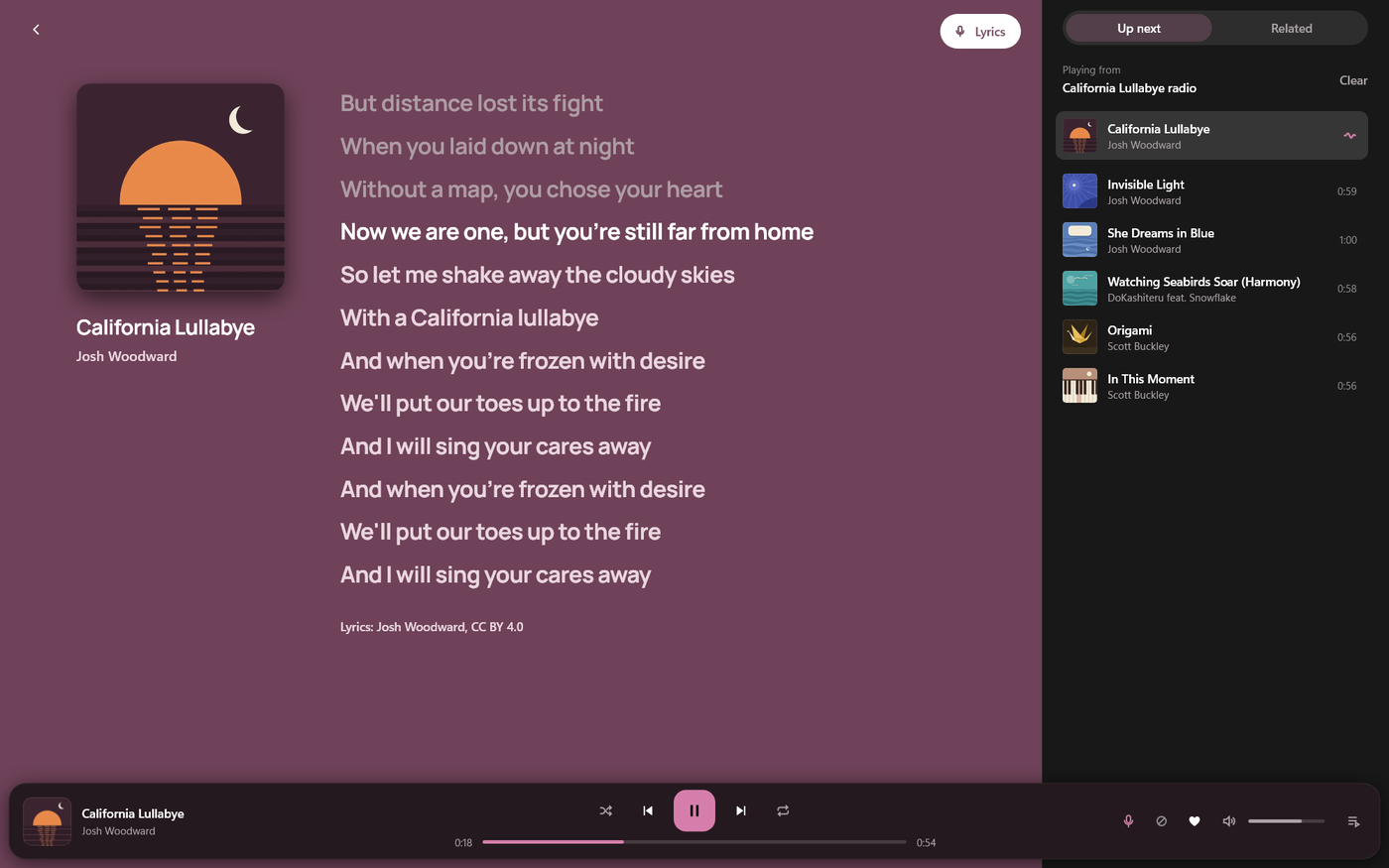
Radio from any song, an Up next queue you can reorder, and synced lyrics in the cover’s colour. A click usually plays at once, because the song under the pointer and the next one in the queue are fetched ahead.
Songs, not videos
It never plays video. When a music video has a song version, the song plays, and SponsorBlock skips the talking in the music videos that remain.
Fits into Windows
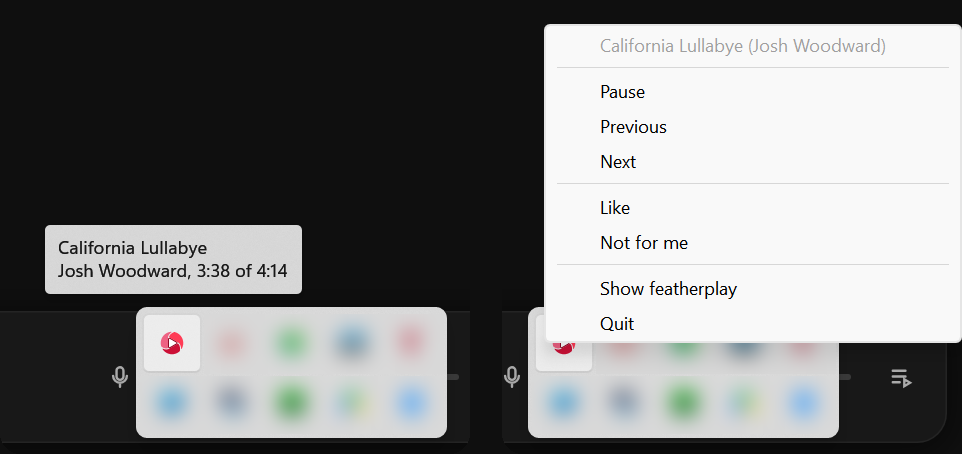
Media keys and the Windows media overlay, Previous, Play and Next on the taskbar thumbnail, and a mini player in the notification area.
Scrobbling and Discord
Last.fm, ListenBrainz or both, and plays that couldn’t be sent go later. Discord status shows what you’re playing, once you turn it on.
Local API
Off by default. What’s playing and the controls, for stream overlays, Stream Deck plugins and scripts on your PC, on Pear Desktop’s port and routes.
How you use it
- Install it for your Windows user only, with no admin prompt, or run the portable exe from any folder. Uninstalling from Settings removes everything it keeps, sign-in included.
- Sign in on Google’s own page, in a small window that closes once you’re in. featherplay never sees your password.
- Close the window and keep listening from the notification area. Next time it opens with your queue, the song and the position, paused.
- Coming from Pear Desktop? The README lists which of its plugins carry over, which come later and which aren’t needed.
Privacy
featherplay sends no telemetry and has no server. It connects to YouTube Music and Google for your music and sign-in, and to GitHub for its helpers and a daily update check, which sends only the app’s version and can be turned off.
LRCLIB gets the song’s title, artist, album and length, and only while lyrics are on screen. SponsorBlock is asked by the first four characters of a hash of the video’s ID, so it doesn’t learn which video you play. Last.fm, ListenBrainz and Discord hear from it only if you connect them.
Your sign-in sessions and tokens are kept in Windows Credential Manager.
Get featherplay
Native Windows player for YouTube Music, unofficial